Help Center
Receive Bitcoin Stamps
Cryptocurrency enthusiasts can now use Leather to send and receive Bitcoin Stamps securely. By following a few simple steps, users can access their Native SegWit address associated with their Leather Wallet to receive Stamps. This feature enhances the functionality of Leather and provides a seamless experience for cryptocurrency transactions.
Apr 24, 2025
How to Receive Bitcoin Stamps Using Leather
Leather supports the Stamps protocol, allowing users to send and receive Bitcoin Stamps using the Native SegWit address (starting with bc1q) associated with their Leather Wallet. Follow the steps below to receive Stamps securely.
- Hit the Receive Button: In the main menu of your Leather extension, click Receive.
- Select the Collectibles Tab: Navigate to the Collectibles section.
- Copy the Native SegWit Address: Locate the address listed under Stamps, then copy it.
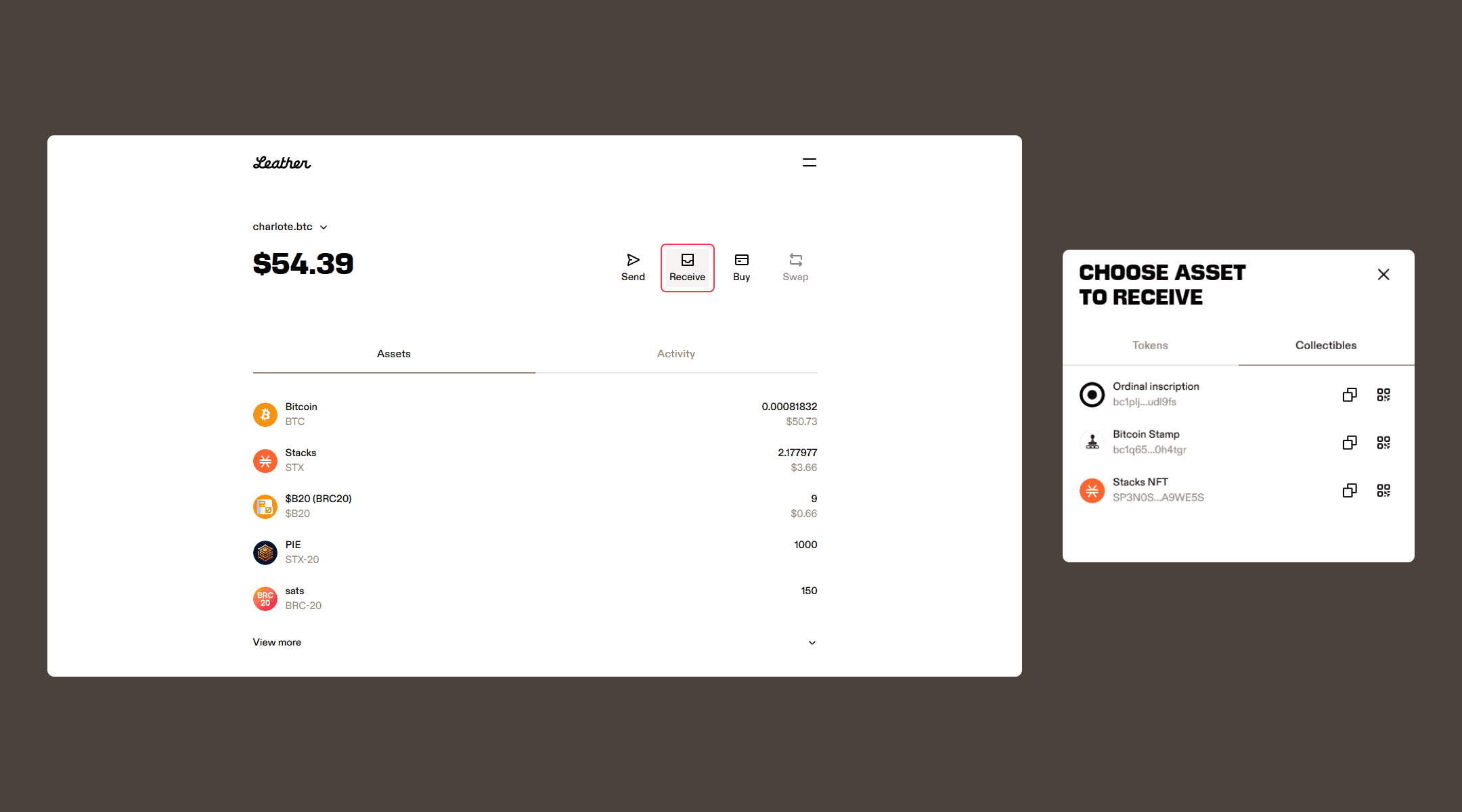
Once the network confirms, your received Stamp will appear under the Assets tab in the Collectibles section (below your tokens).
Note: Stamps support for hardware devices (like Ledger) is currently limited. We recommend using the Leather browser extension in software mode for Stamps-related transactions. With a hardware device, Leather is used in hardware mode. Without a hardware device, Leather is in software mode, which means the Secret key is stored on the computer instead of the hardware wallet device.
Related articles
Disclaimer
Leather facilitates the process of receiving Bitcoin Stamps, but users are responsible for the security and accuracy of their transactions. Leather does not have control over the Stamps protocol or the network confirmation process. Users should exercise caution and verify all transaction details before proceeding.