Help Center
Send BRC-20 Tokens
Cryptocurrency users can now easily send BRC-20 tokens through Leather's platform, which involves creating a transfer inscription and sending it to a recipient. This guide provides step-by-step instructions on how to initiate and complete BRC-20 token transfers within Leather.
Apr 24, 2025
Users have the ability to send BRC-20 tokens as part of Leather’s BRC-20 support. However, sending BRC-20 tokens involves two types of transactions:
- Creating a transfer inscription
- Sending the transfer inscription to a recipient. This guide will cover both steps needed for users to send BRC-20 tokens to other users and wallet accounts.
How to Send BRC-20 Tokens in Leather
To create a transfer inscription:
-
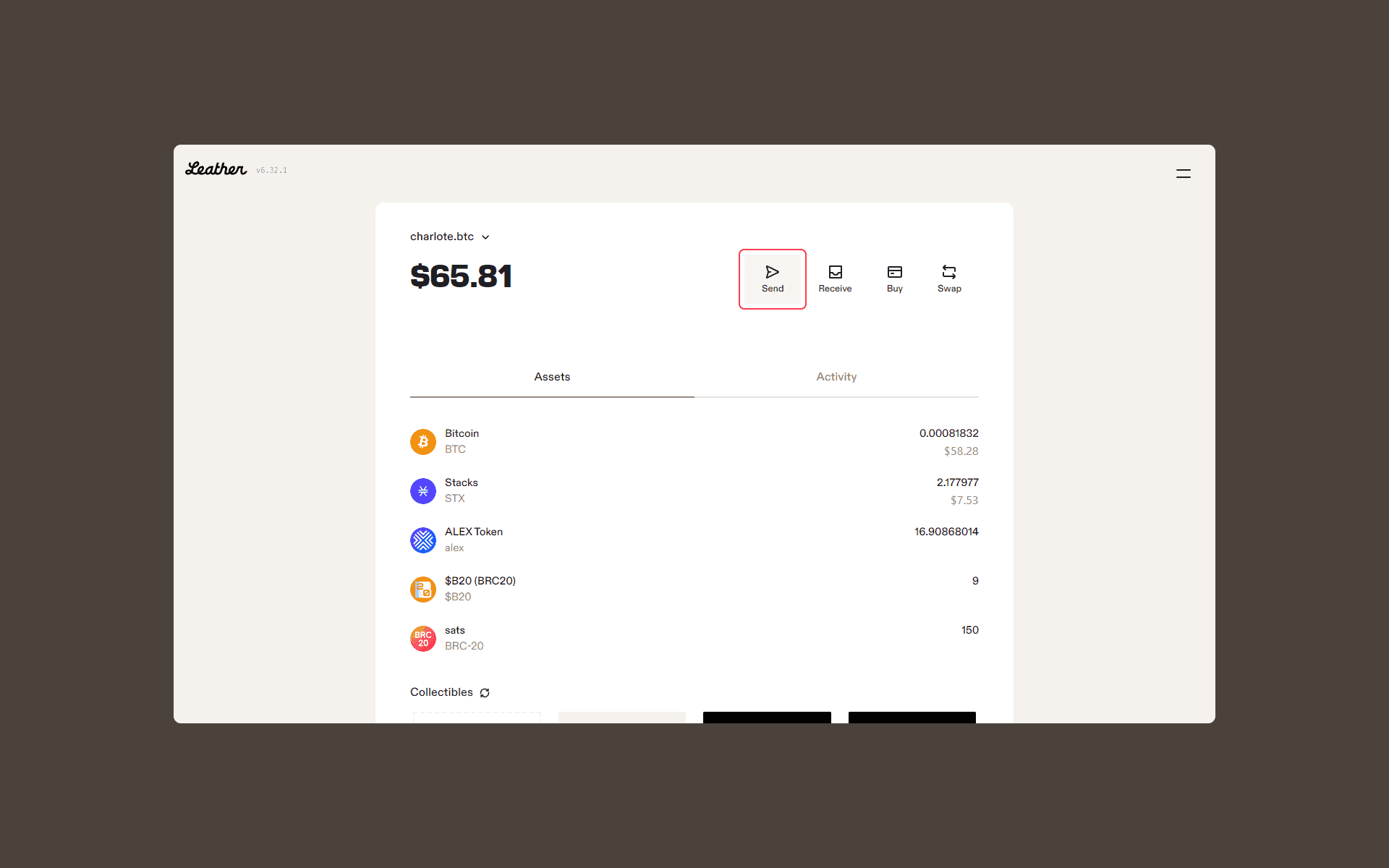
Click “Send”
-
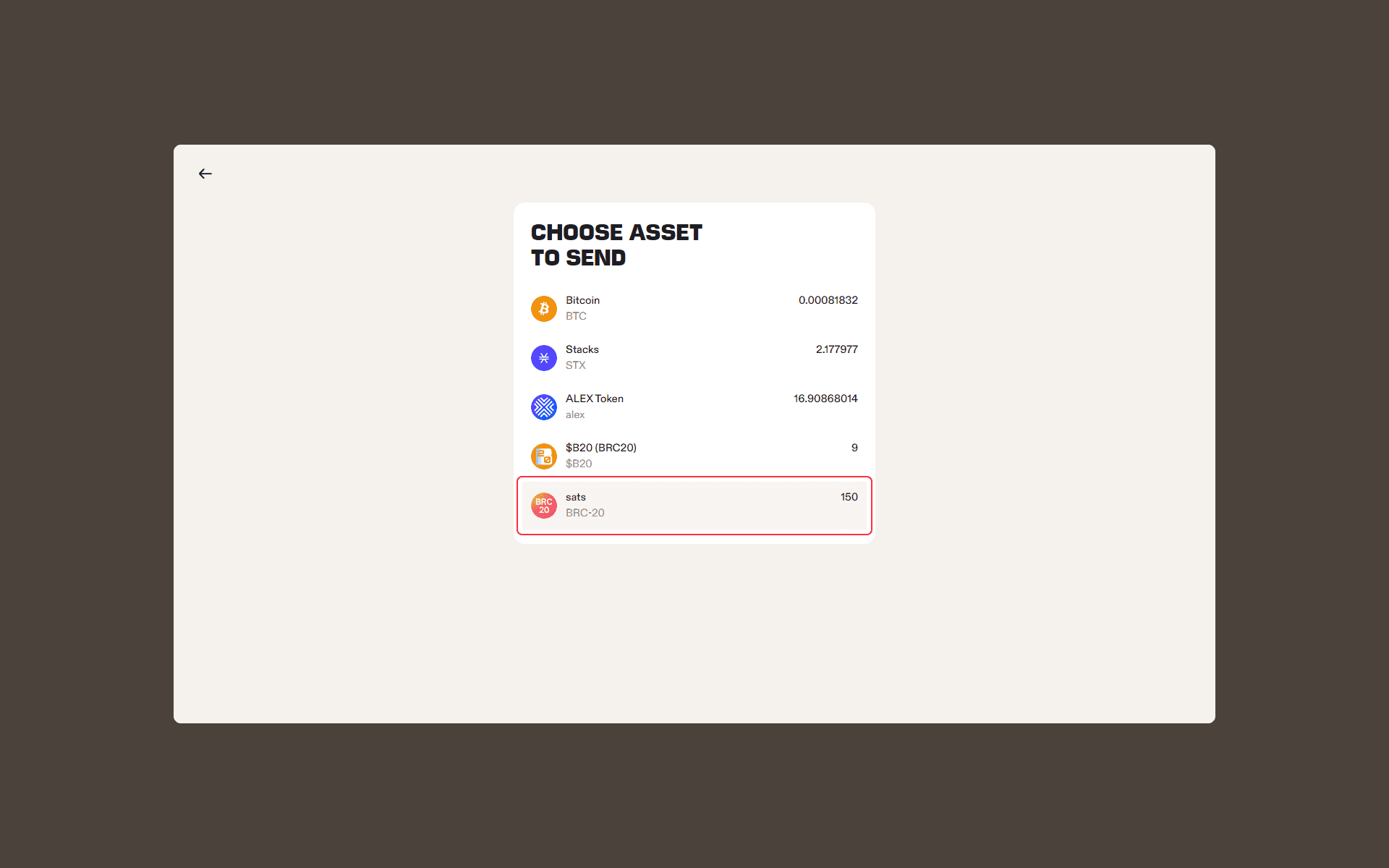
Select the BRC-20 token you want to send
-
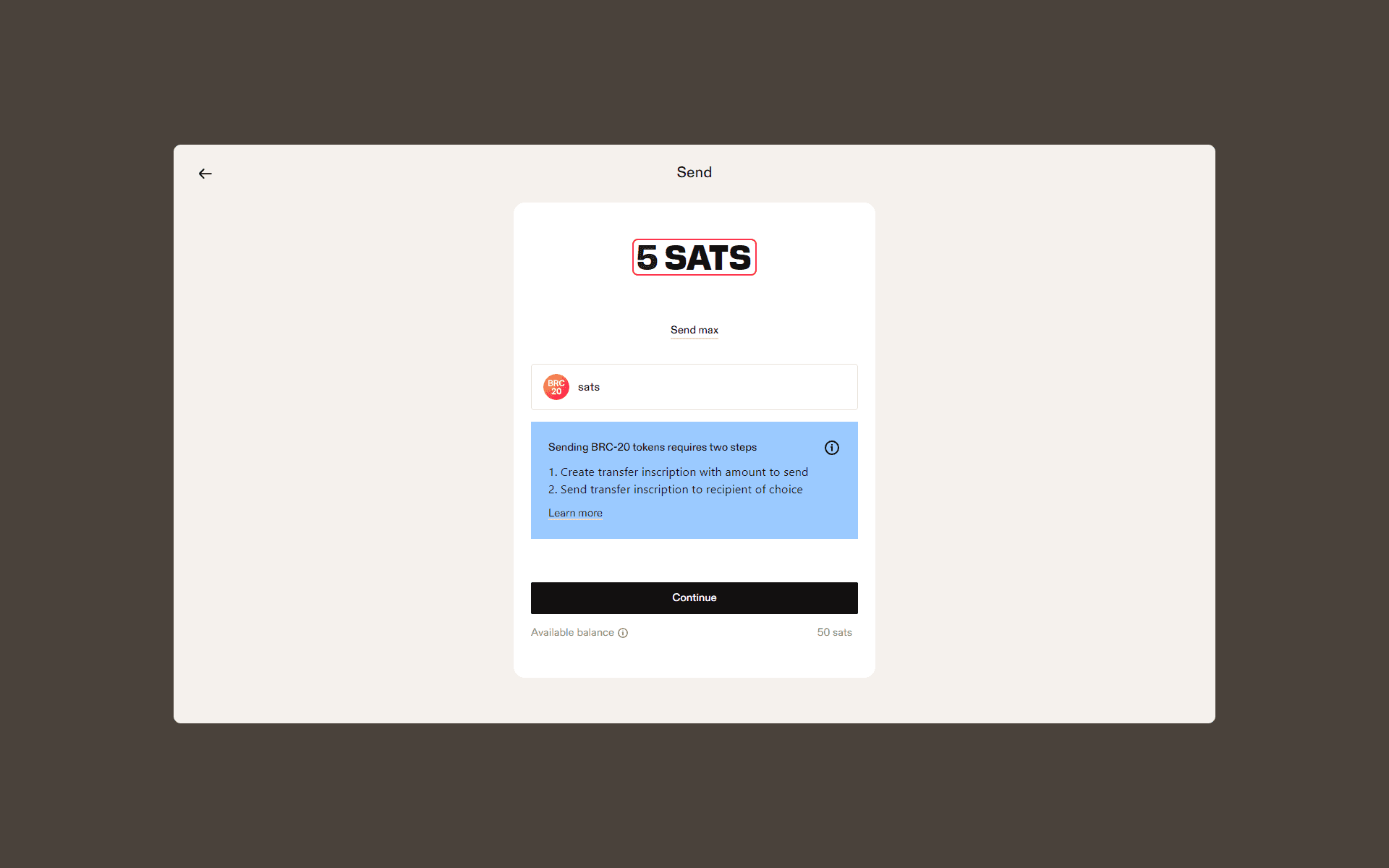
Specify the number of BRC-20 tokens you’d like to send
-
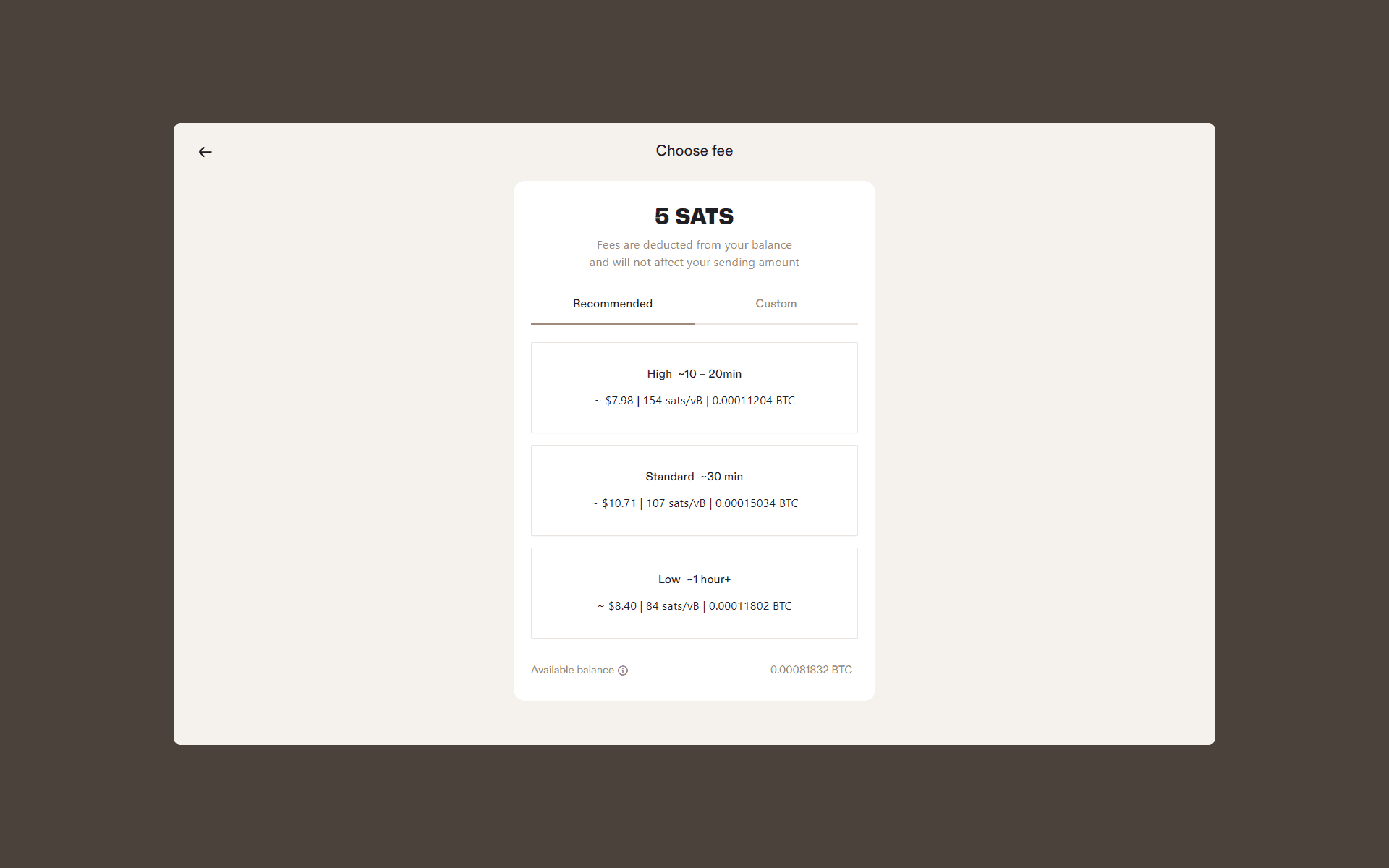
Select the fee option you want for the transaction
-
Confirm the transaction
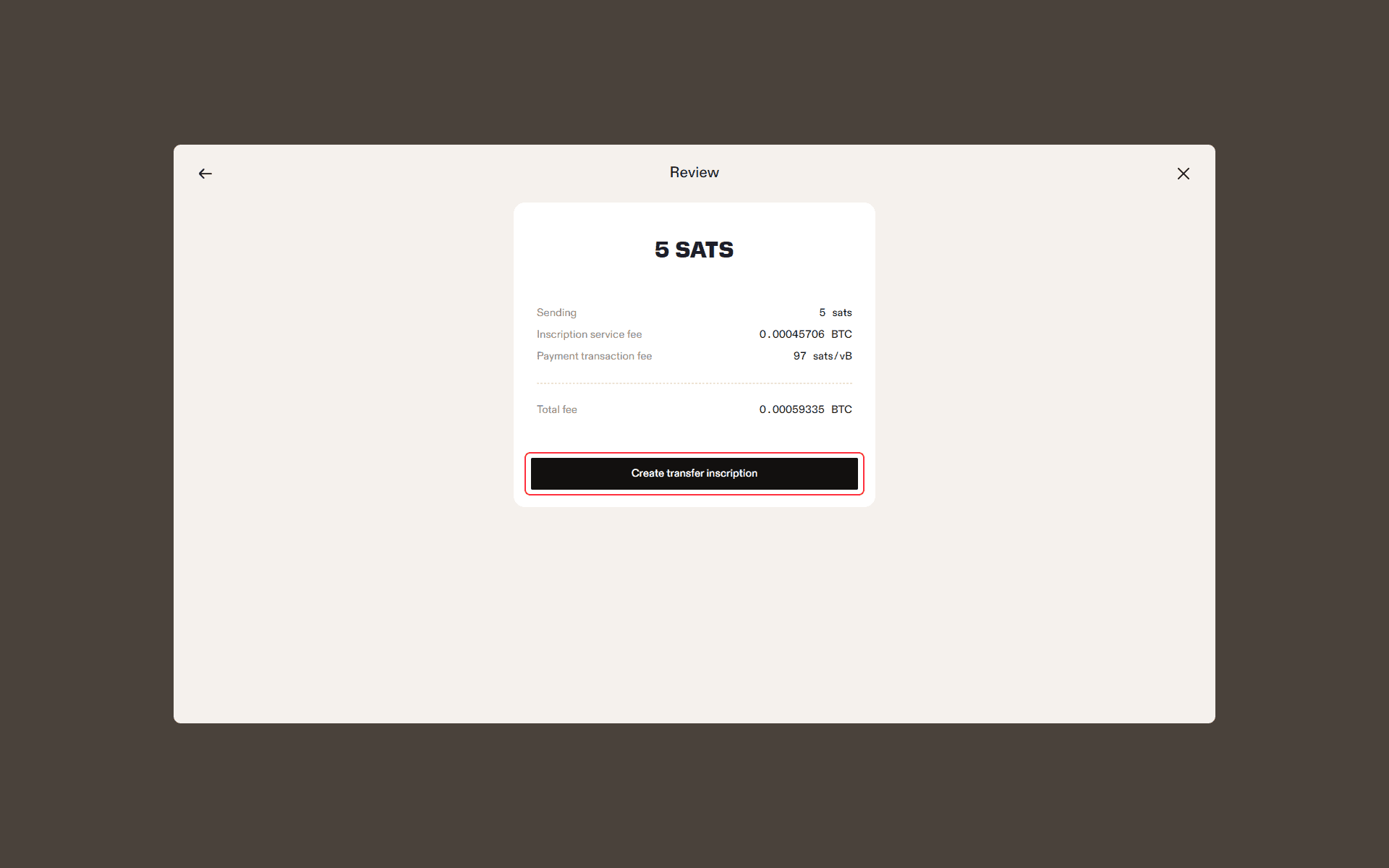
How to Send BRC-20 Transfer Inscription in Leather
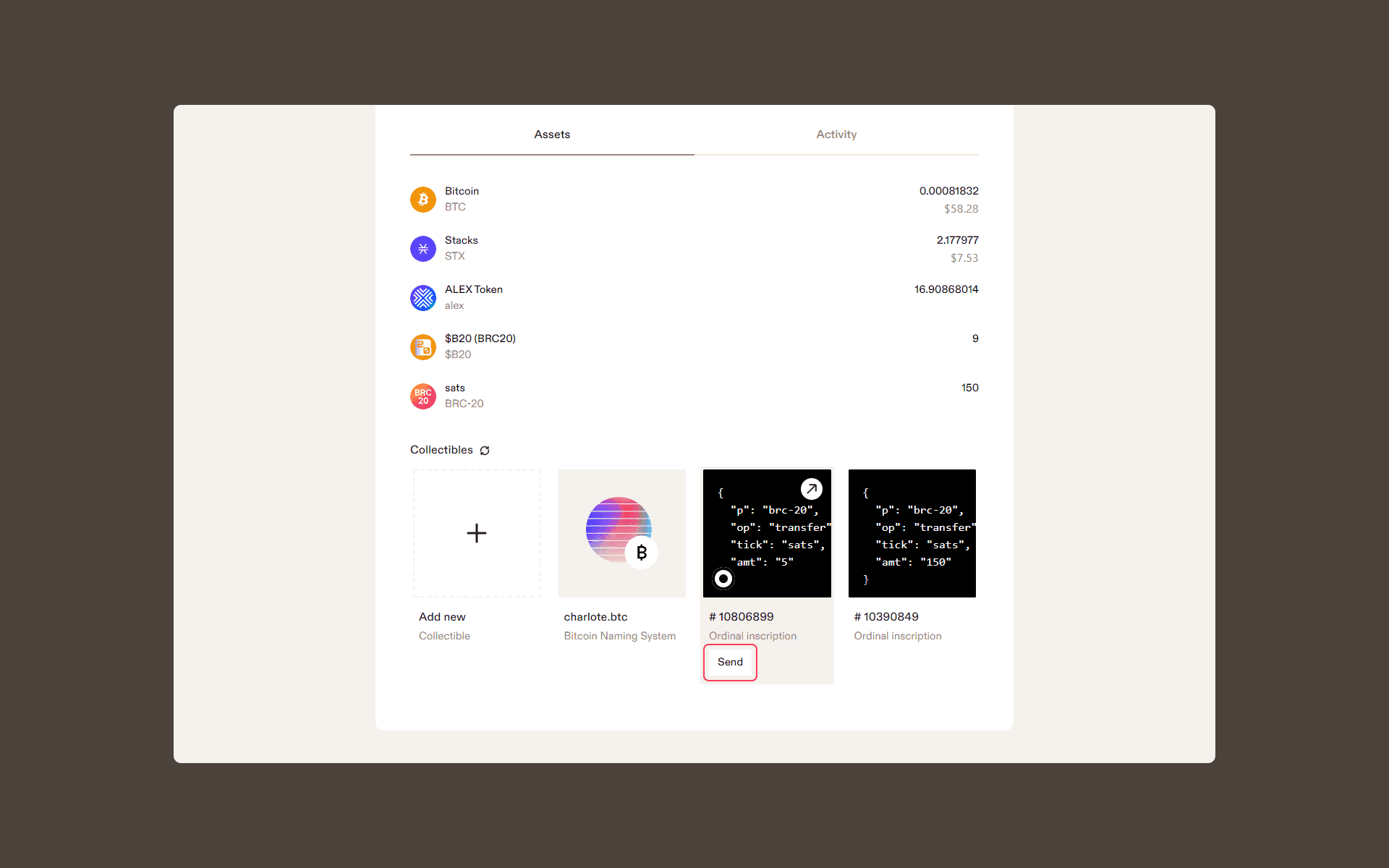
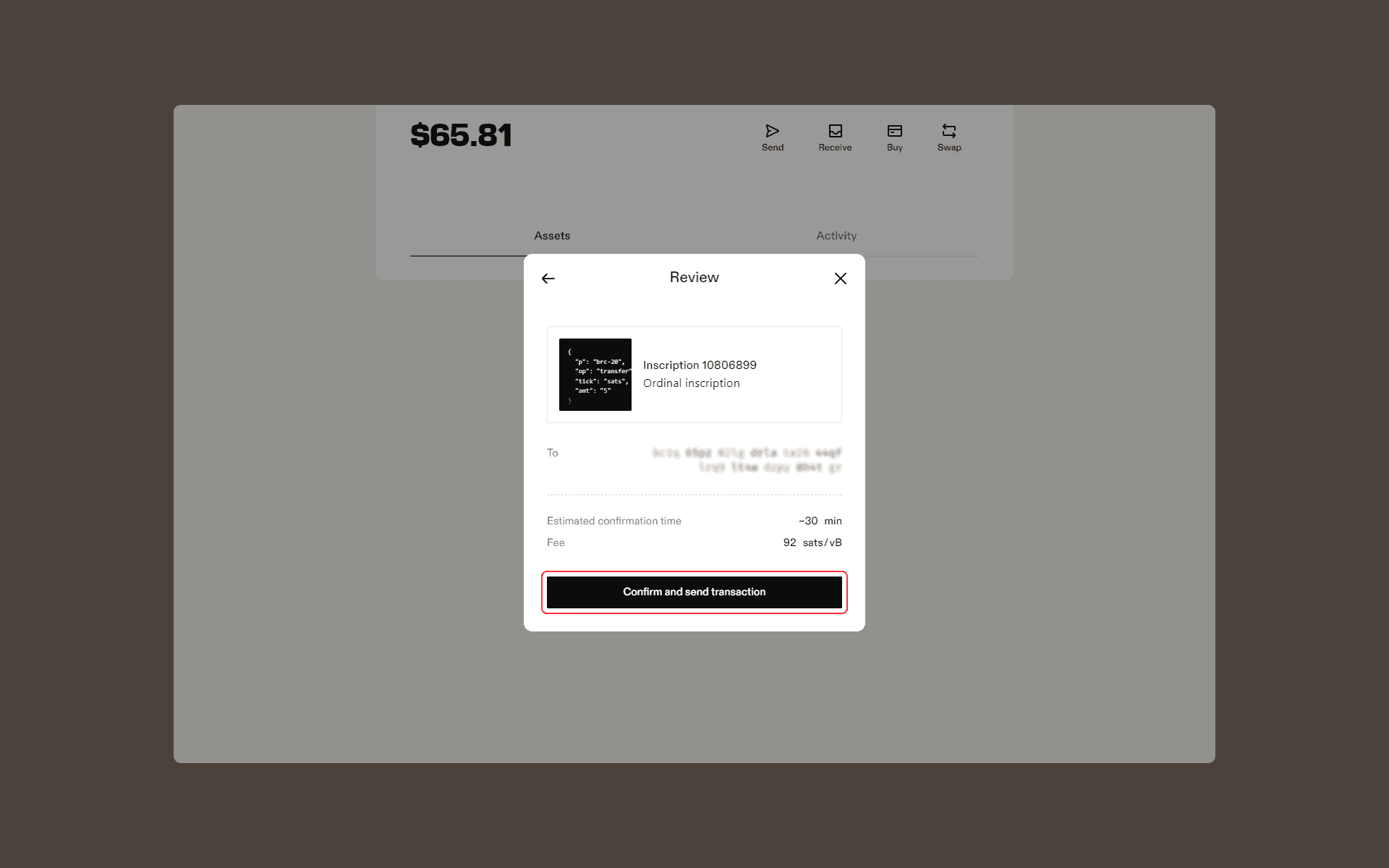
Once you see your transfer inscription appear in the “Collectibles” section of your wallet, follow these steps to send your BRC-20 token to another recipient:
-
Click “Send” on the transfer inscription that was created as part of your minting process
-
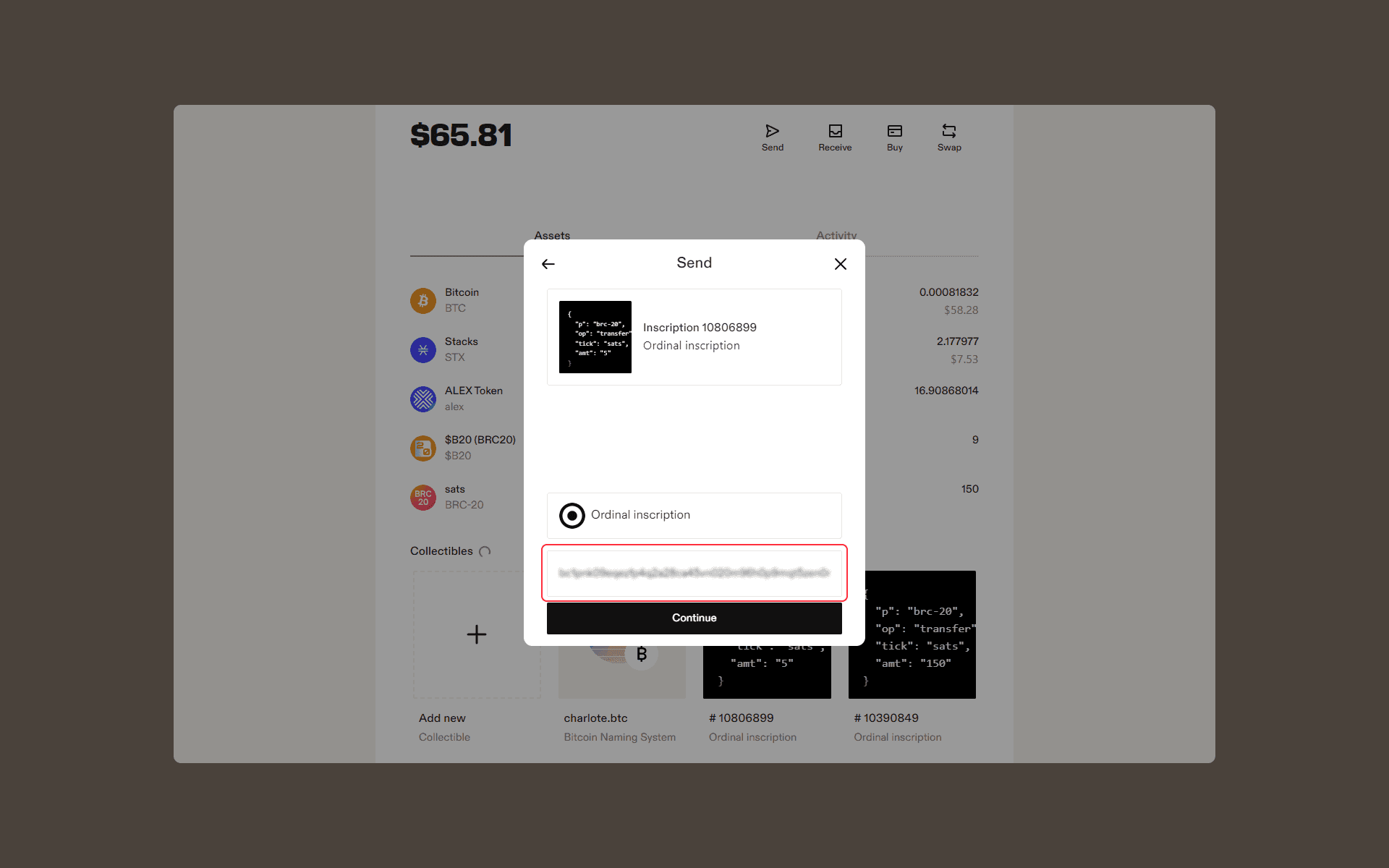
Enter the recipient’s Taproot address
-
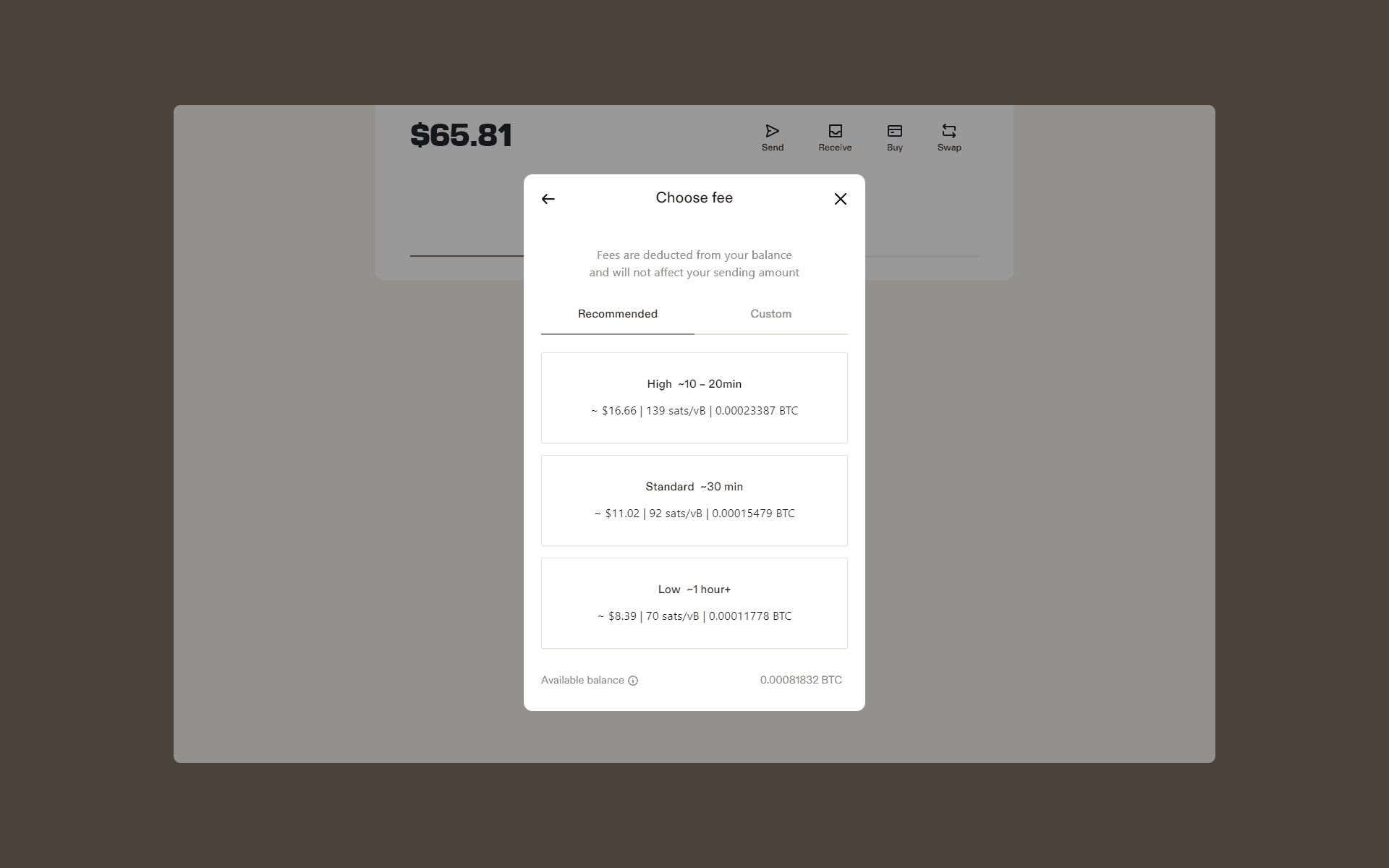
Choose the fee option you’d like for your transaction
-
Review and confirm your transaction
Related articles
Disclaimer
Leather provides the platform for sending BRC-20 tokens but does not control the actual transactions or verify the recipients. Users are responsible for ensuring the accuracy and security of their token transfers.